Every team runs on email. And every team hates how email works in teams. Our ambition was to reimagine the shared inbox concept to enable seamless collaboration.
Here's a scene that plays out in thousands of offices every day. A client sends an email to info@company.com. Three people see it. One starts drafting a reply. Another — not knowing — also starts drafting. The third assumes someone else is handling it. The client gets two conflicting responses, or worse, none at all. Trust erodes. Revenue follows.
The obvious solution — switch to Slack, Teams, or a project management tool — ignores a stubborn reality. For agencies, consulting firms, architecture studios, and small professional teams, email is the communication channel. Clients email. Partners email. Vendors email. The information lives in the inbox, and no amount of wishing will move it elsewhere.
Advisero's founders understood this. They didn't want to replace email — they wanted to make it collaborative. The challenge they brought me was deceptively simple: design a shared inbox that feels as familiar as Gmail but works like a team. No learning curve. No migration. Just email, finally working the way teams need it to.
Before designing anything, I needed to understand what was actually happening inside these teams. Not what they said in interviews — what they actually did at 9am when 40 unread messages landed in a shared inbox. I ran a research program across three phases: field observations, competitive analysis, and workflow mapping.
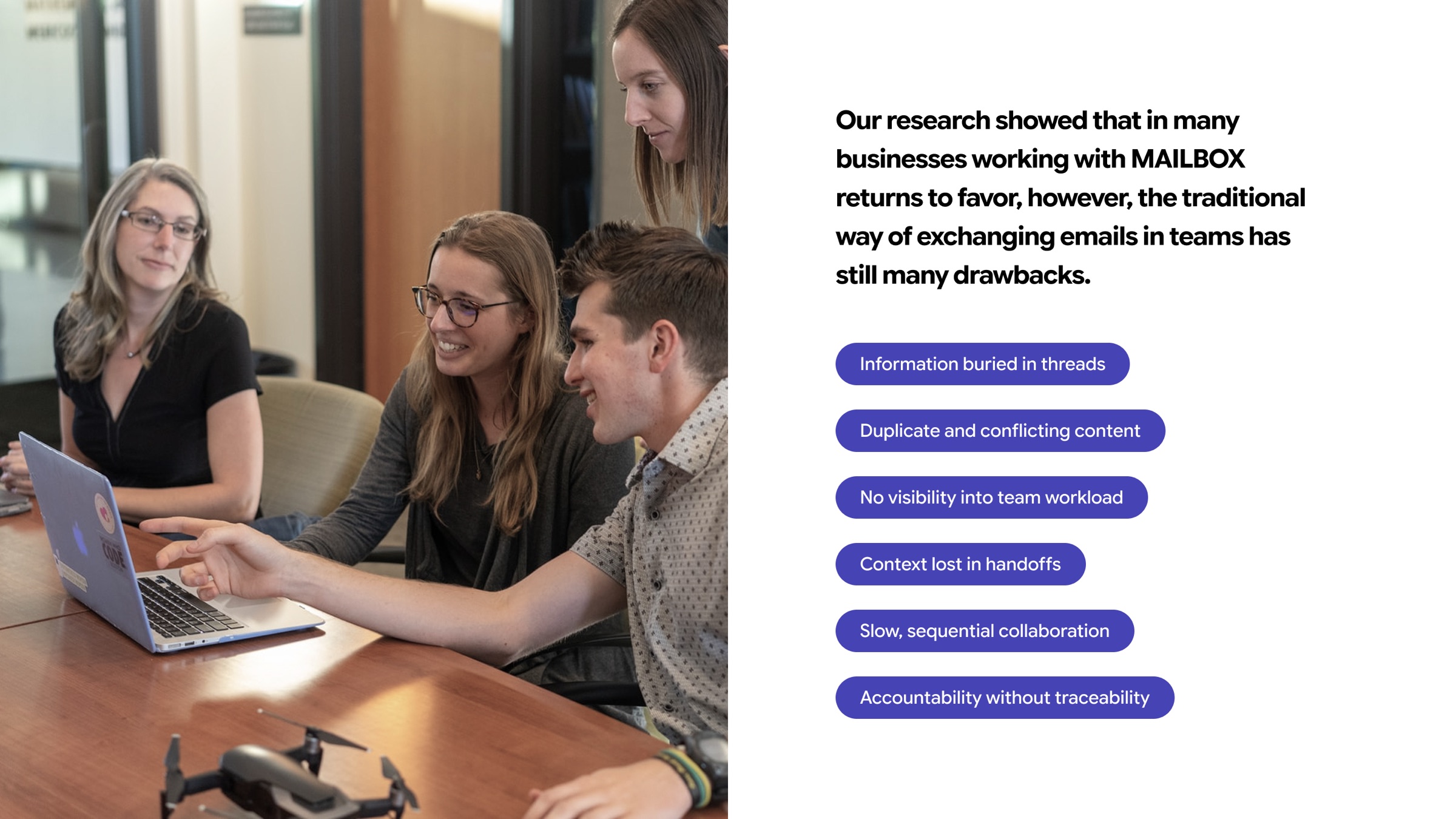
I observed daily email workflows in architecture, marketing, consulting, legal, and customer service teams. Each session lasted a full morning — watching how emails arrived, who triaged them, how decisions were made about routing, and where things fell through the cracks. The same failure modes appeared everywhere.
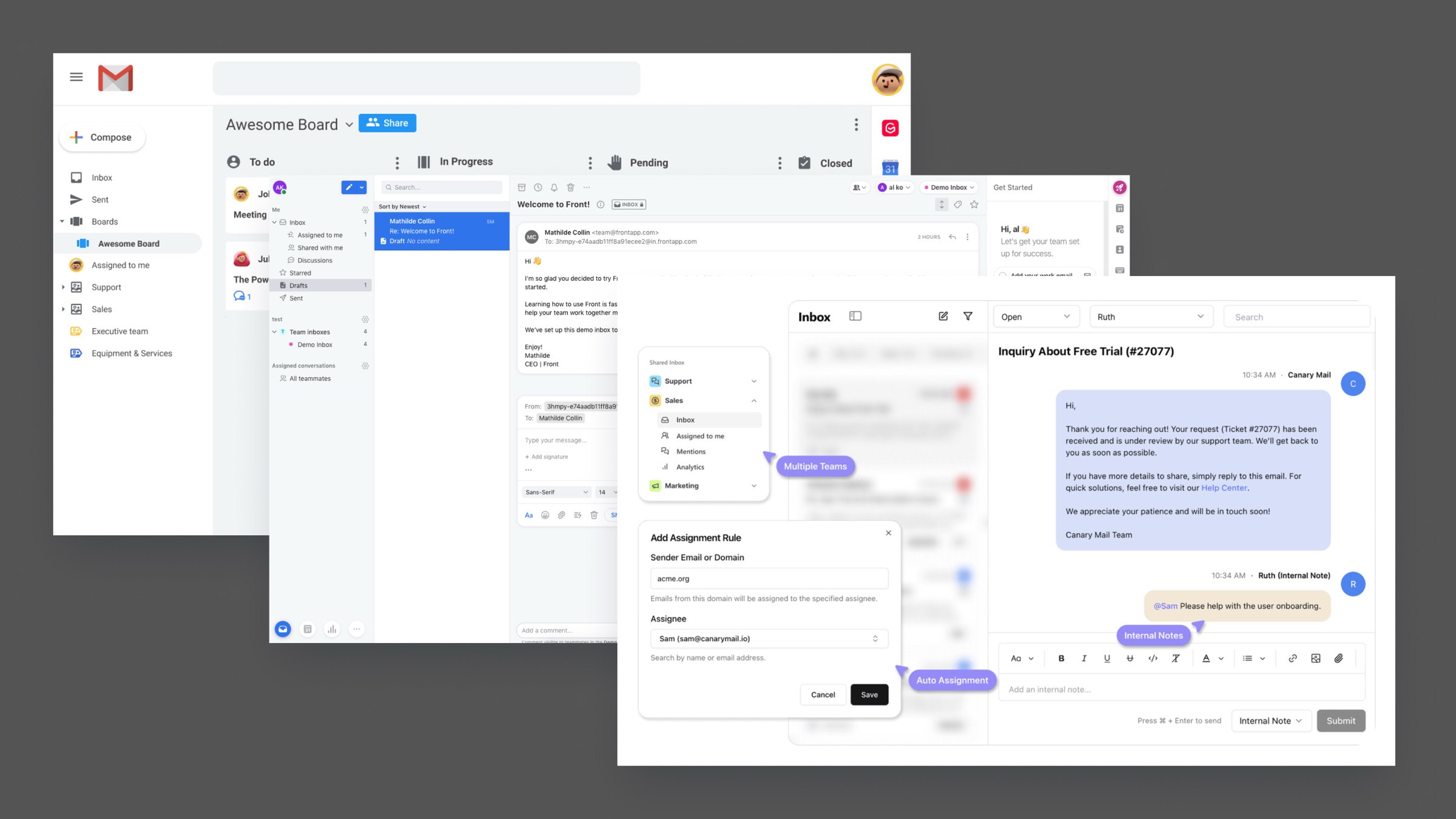
I audited Front, Missive, Hiver, and Canary Mail — the closest competitors in the shared inbox space. Each had strengths, but they all shared a common mistake: they tried to reinvent the email interface. Users had to learn new mental models, which created adoption friction that killed the product for non-technical teams.
I conducted structured interviews with both the people who route emails (managers) and the people who respond to them (team members). The disconnect was revealing: managers wanted visibility and control, operators wanted to focus only on what was theirs. Every design decision had to serve both needs simultaneously.
Mapping end-to-end email workflows revealed three recurring breakdowns: the triage bottleneck (one person reads everything to decide who handles it), the visibility gap (nobody knows what's being handled and what isn't), and the context cliff (when someone picks up a thread, all the internal discussion about it lives elsewhere).
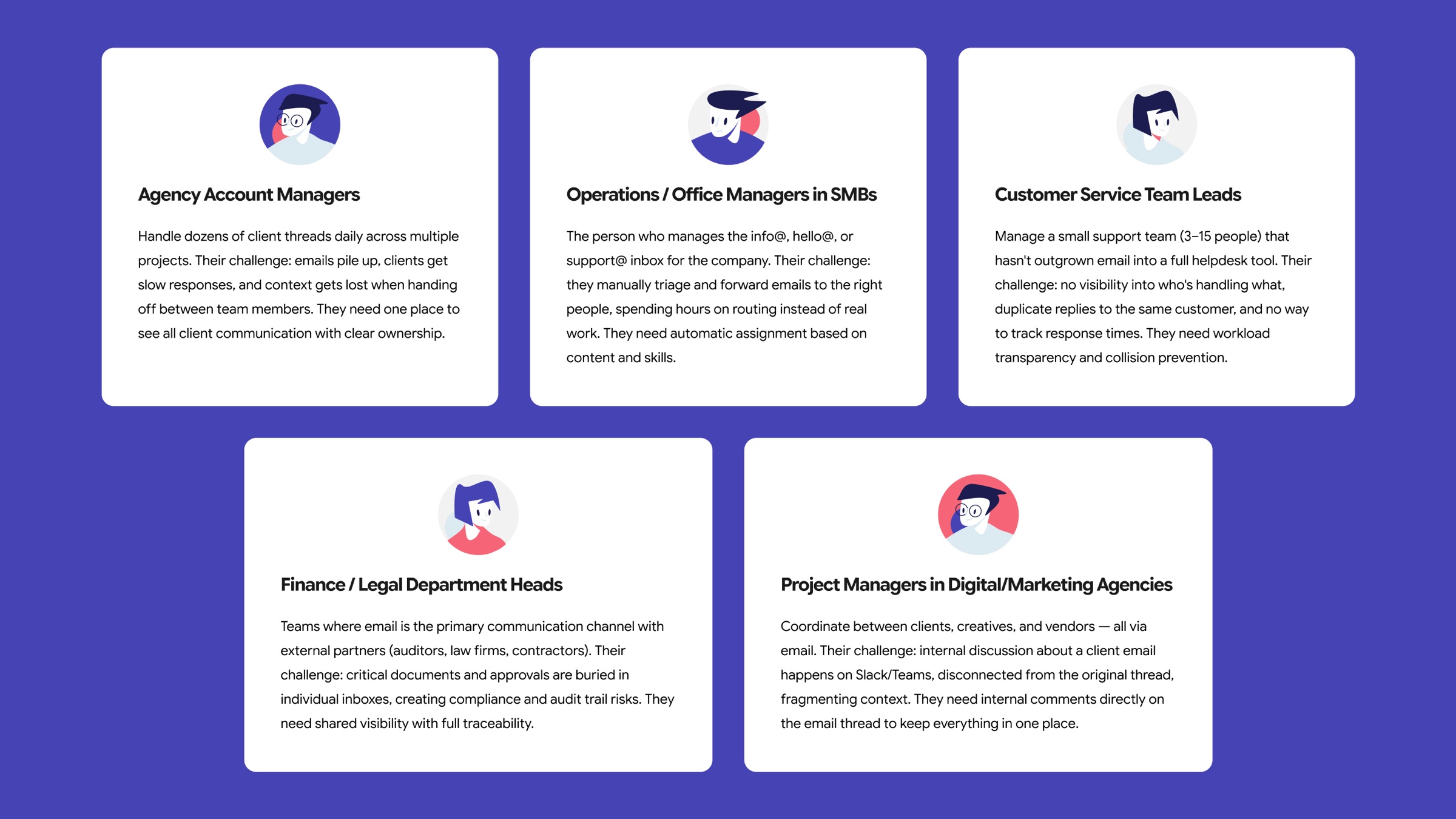
The research led to one core insight that shaped everything: the product's value isn't in a new interaction model — it's in making the familiar model collaborative. Every competitor that tried to reimagine email from scratch created an adoption barrier. The teams we were targeting — agencies, studios, consulting firms — were not going to learn a new tool. They barely had time to answer their emails.
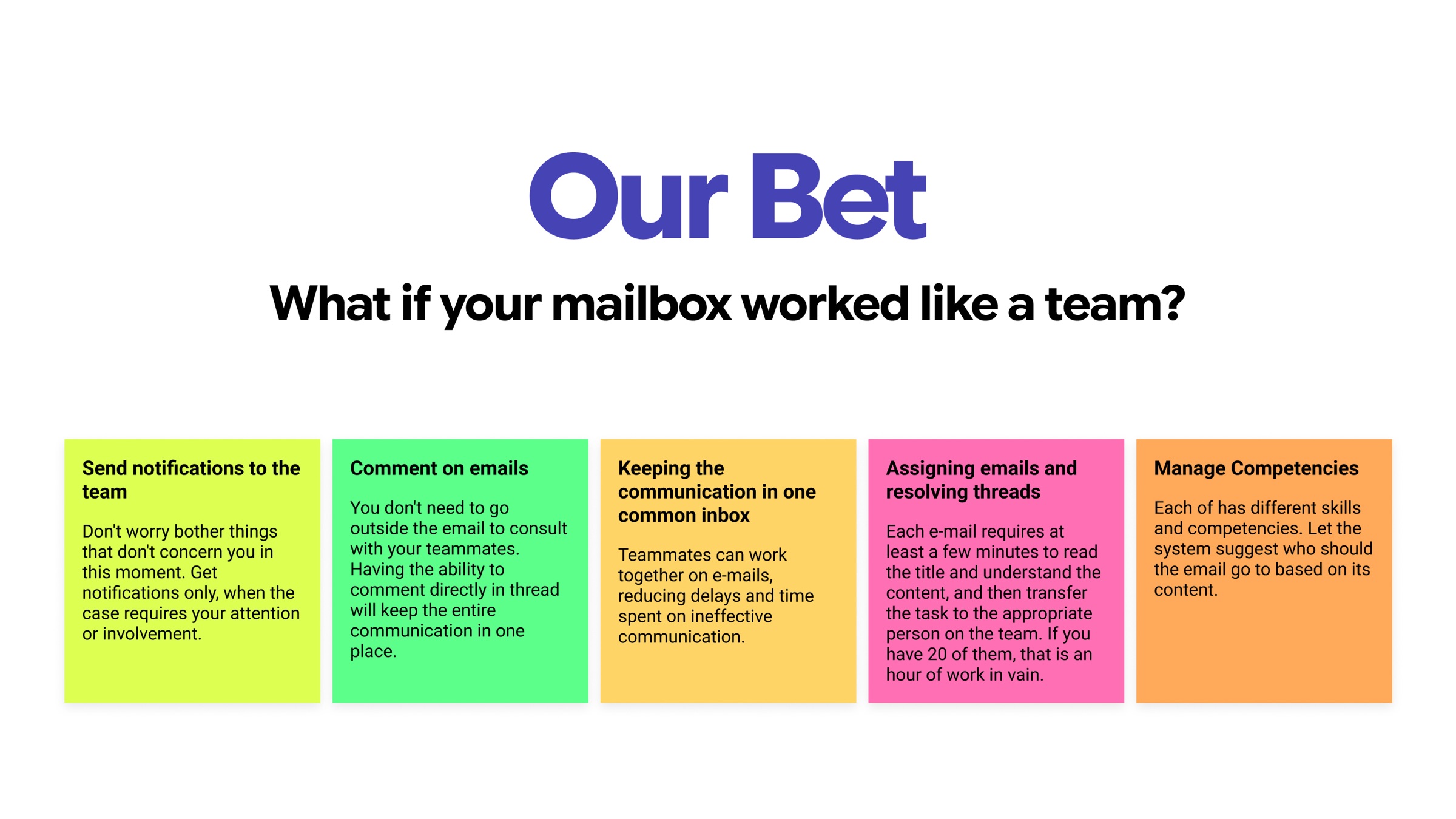
This crystallized into a product bet and three design principles.
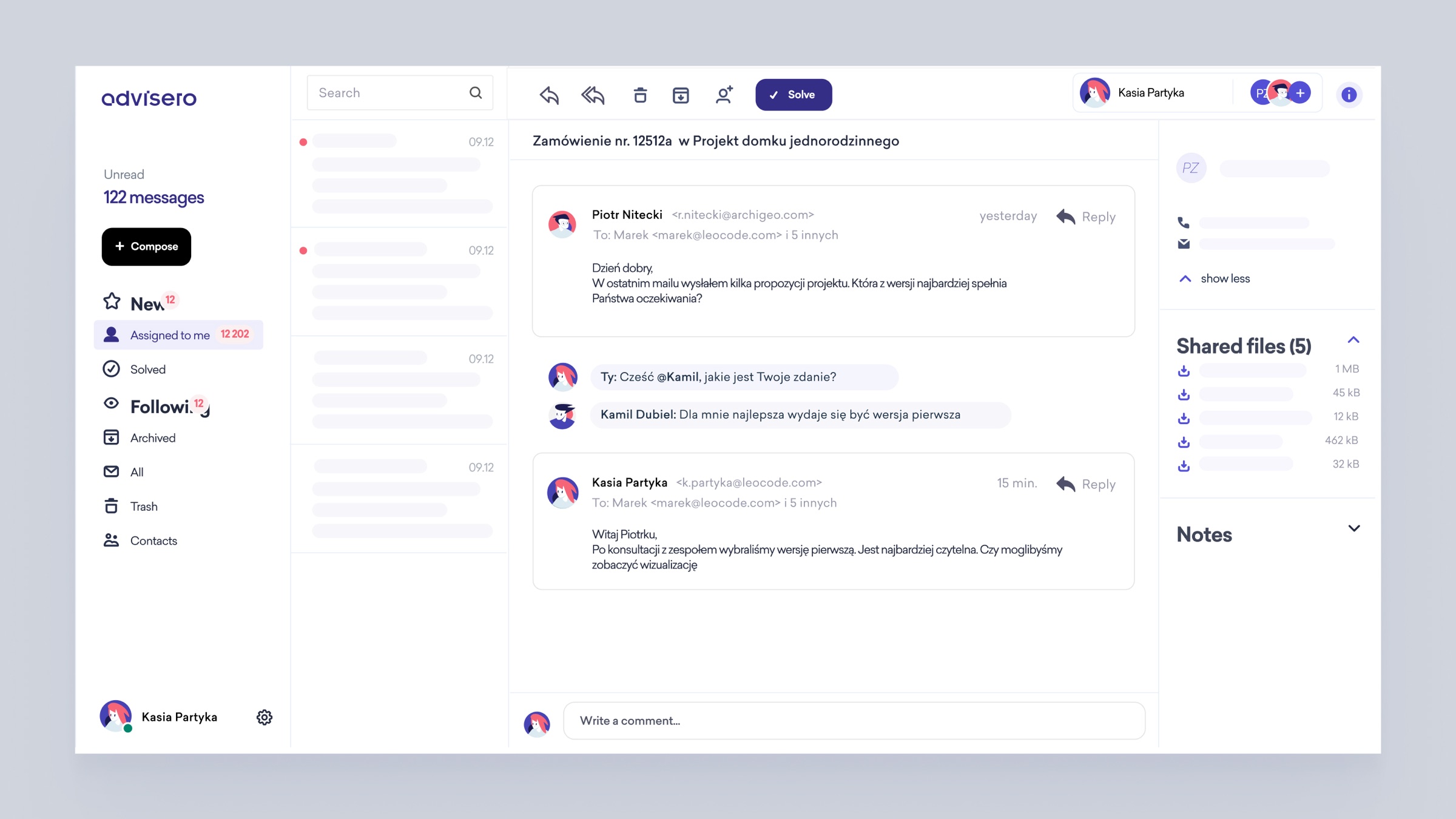
The interface must feel like the email clients people already know. Three columns — sidebar, conversation list, message detail — the exact layout from Gmail and Outlook. If someone can use email, they can use Advisero. The collaboration features layer on top of a familiar foundation, never replacing it.
Managers need to see everything. Operators need to see only what's theirs. These are opposing requirements, and the design has to serve both. The answer: assignment creates focus, following creates awareness. You own your conversations but can observe any thread without it cluttering your primary view.
The biggest waste of time in team email isn't the email itself — it's the context that lives everywhere else. The design principle: every piece of internal context — comments, notes, files, decisions — must live alongside the thread it belongs to. When someone picks up a conversation, everything they need is already there.
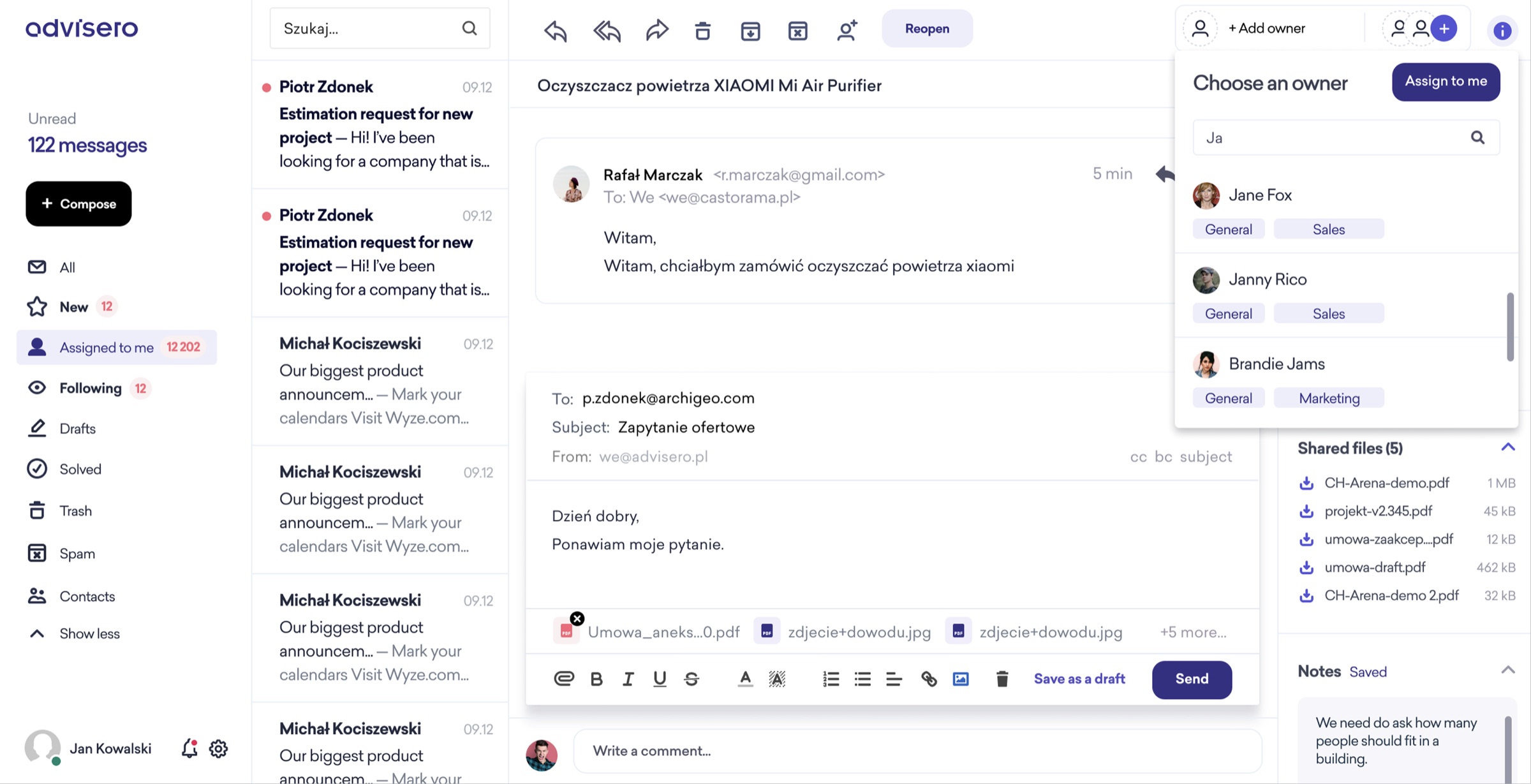
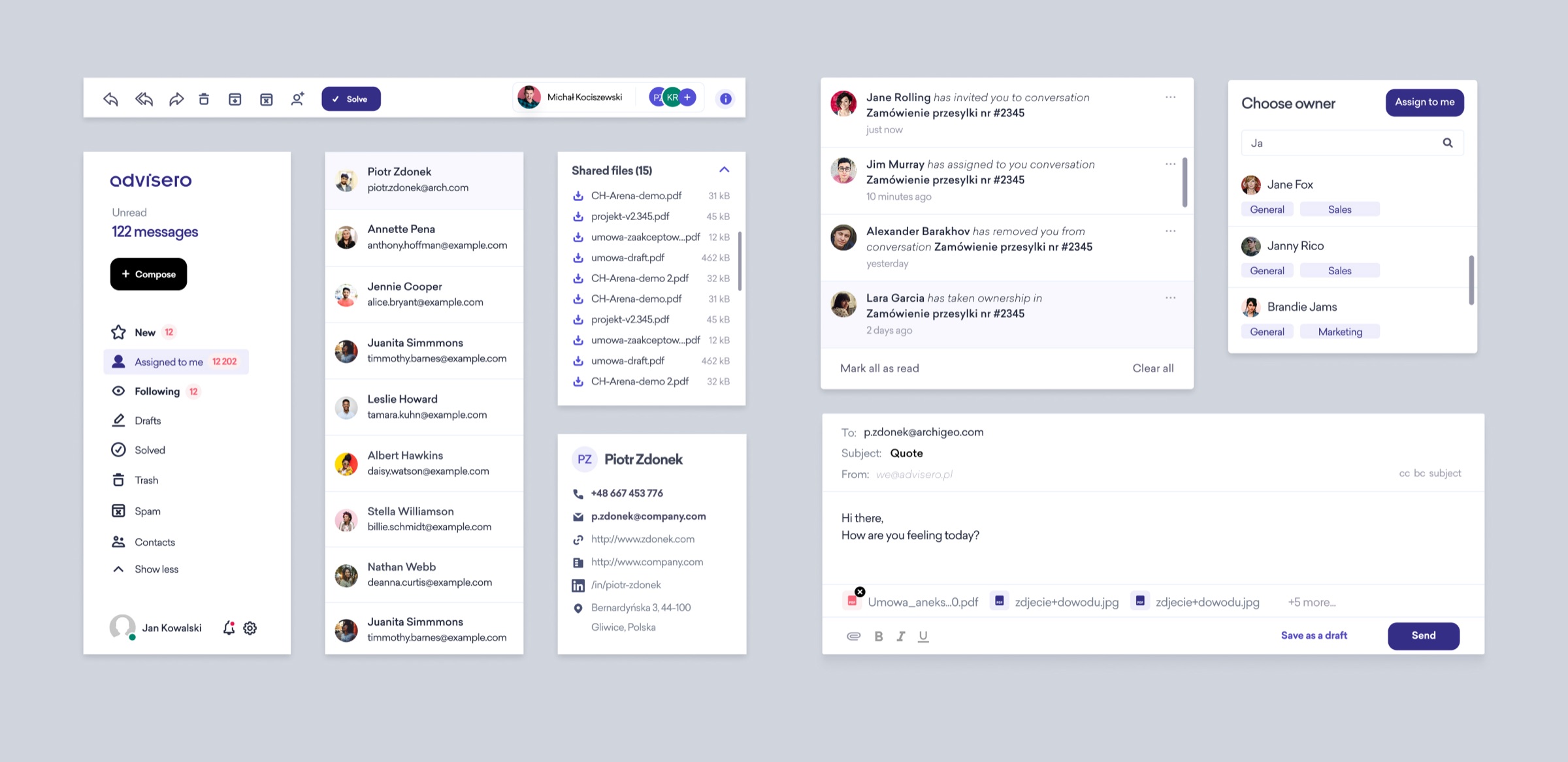
The solution is a three-column email client where every collaboration feature is embedded directly into the email workflow. No separate apps, no context switching, no new paradigms to learn. You open Advisero and it looks like your email client. You start using it and realize your entire team can see, assign, discuss, and resolve conversations together — without leaving the thread.
The research gave us three failure points: the triage bottleneck, the visibility gap, and the context cliff. Each major design decision maps directly to one of these.
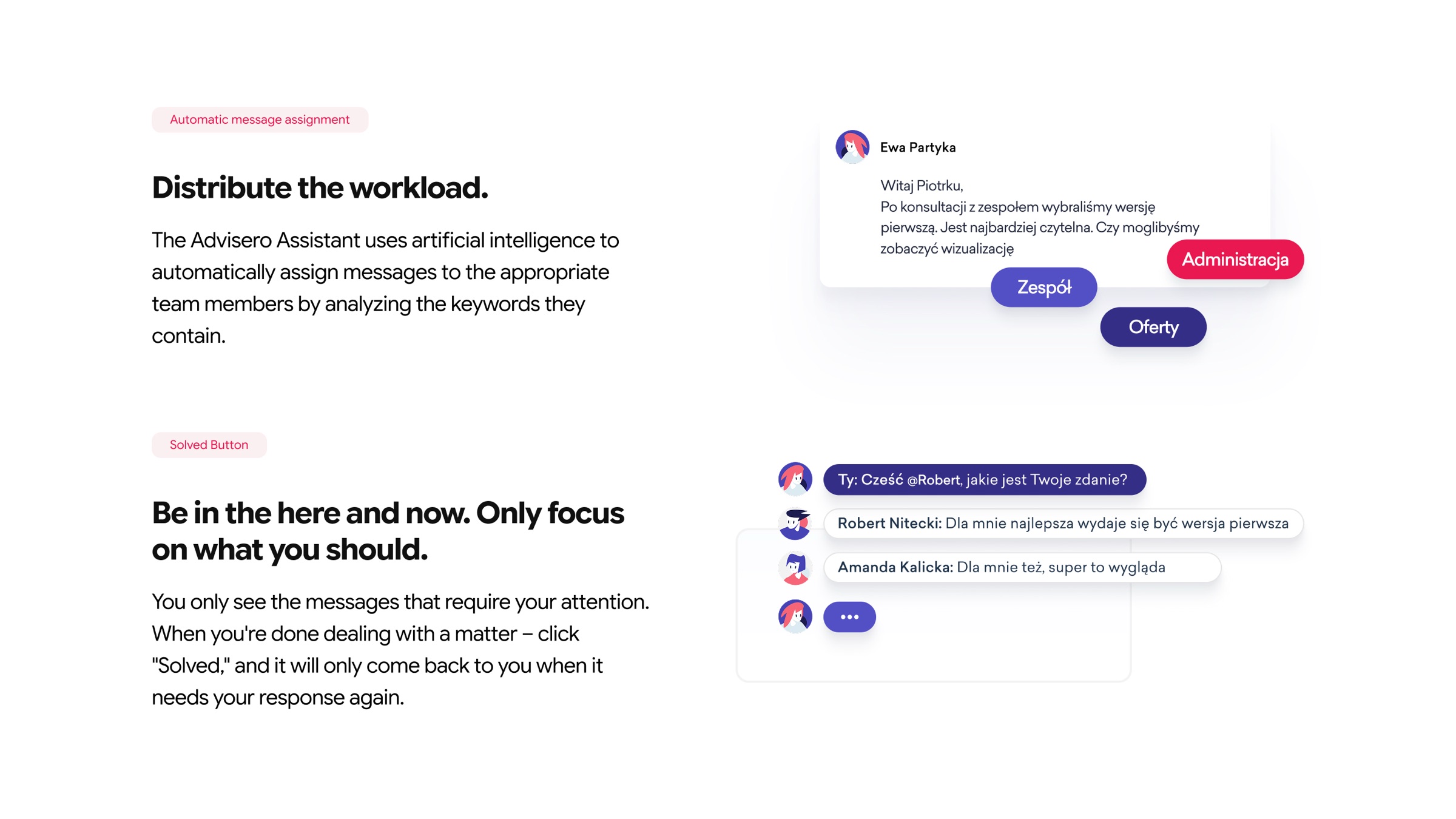
Team members are tagged with skill areas — Sales, Marketing, General — and the system suggests who should handle each email based on its content. This moves triage from "the manager reads everything and decides" to "the system proposes, the manager confirms." An hour of manual routing becomes a few clicks.
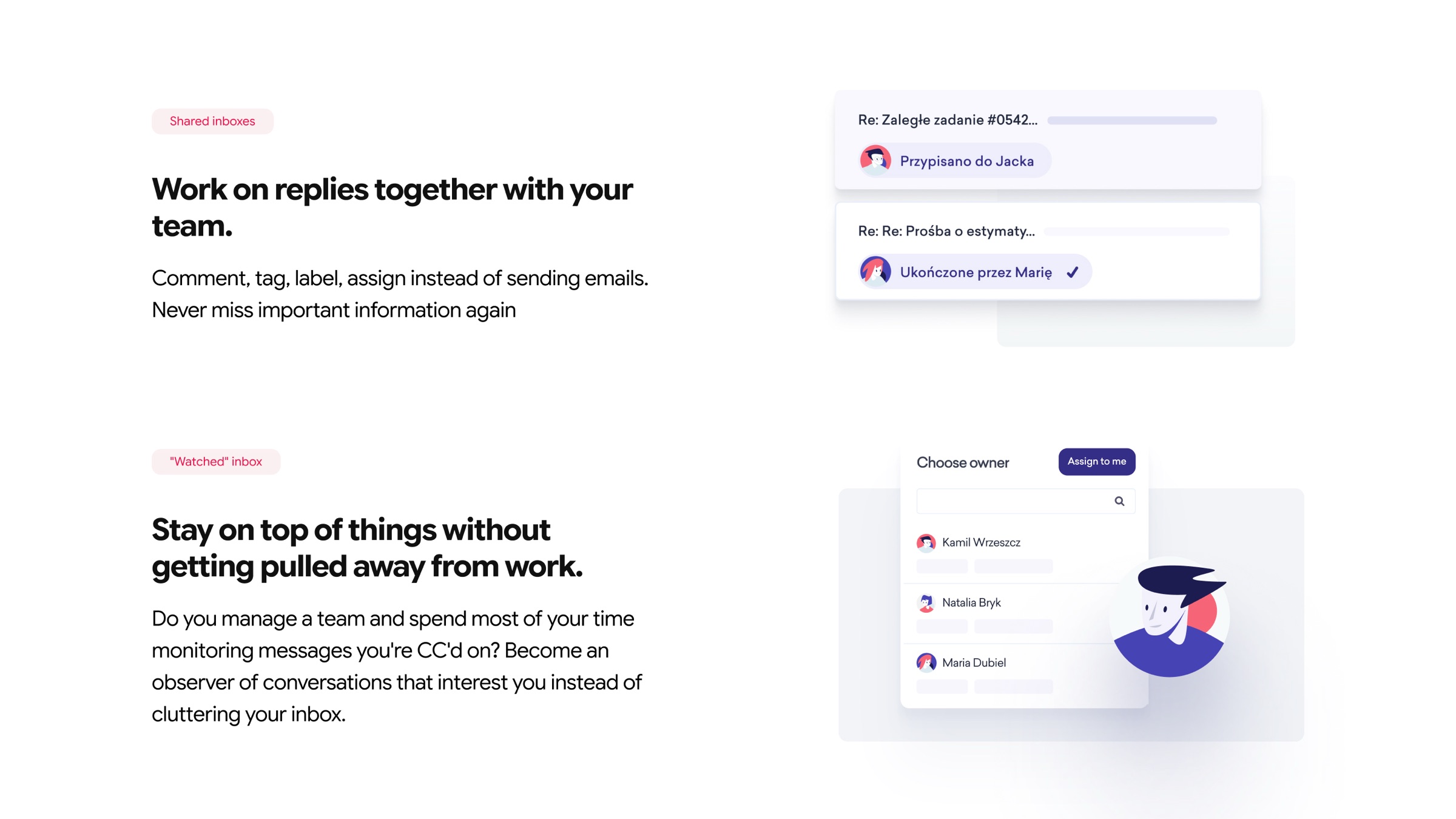
Any thread can be assigned to a teammate with a competency tag. This turns the inbox from a pile of unread messages into a managed queue. The tagging isn't just organizational — it creates accountability. When a conversation has an owner, it doesn't get ignored.
Rather than CC-ing people — which clutters their inbox and creates noise — team members can follow specific conversations. They see updates in their feed without it landing in their primary view. This solves the "I need to stay informed but don't need to act" problem that CC was never designed for.
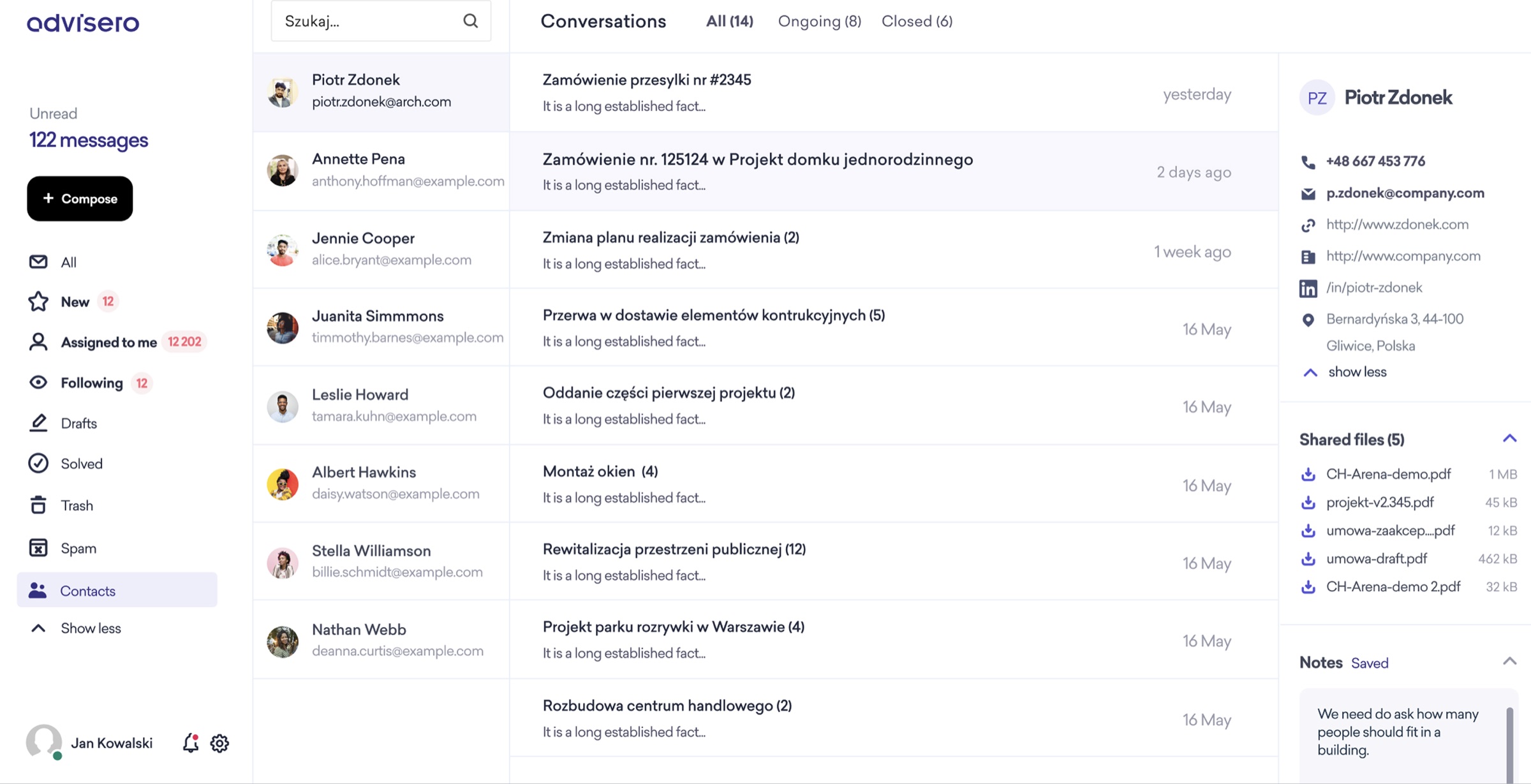
The conversation list shows assignment status, follower count, and activity indicators at a glance. A manager can scan the inbox and immediately see: what's handled, what's waiting, and what's falling through the cracks — without opening a single thread.
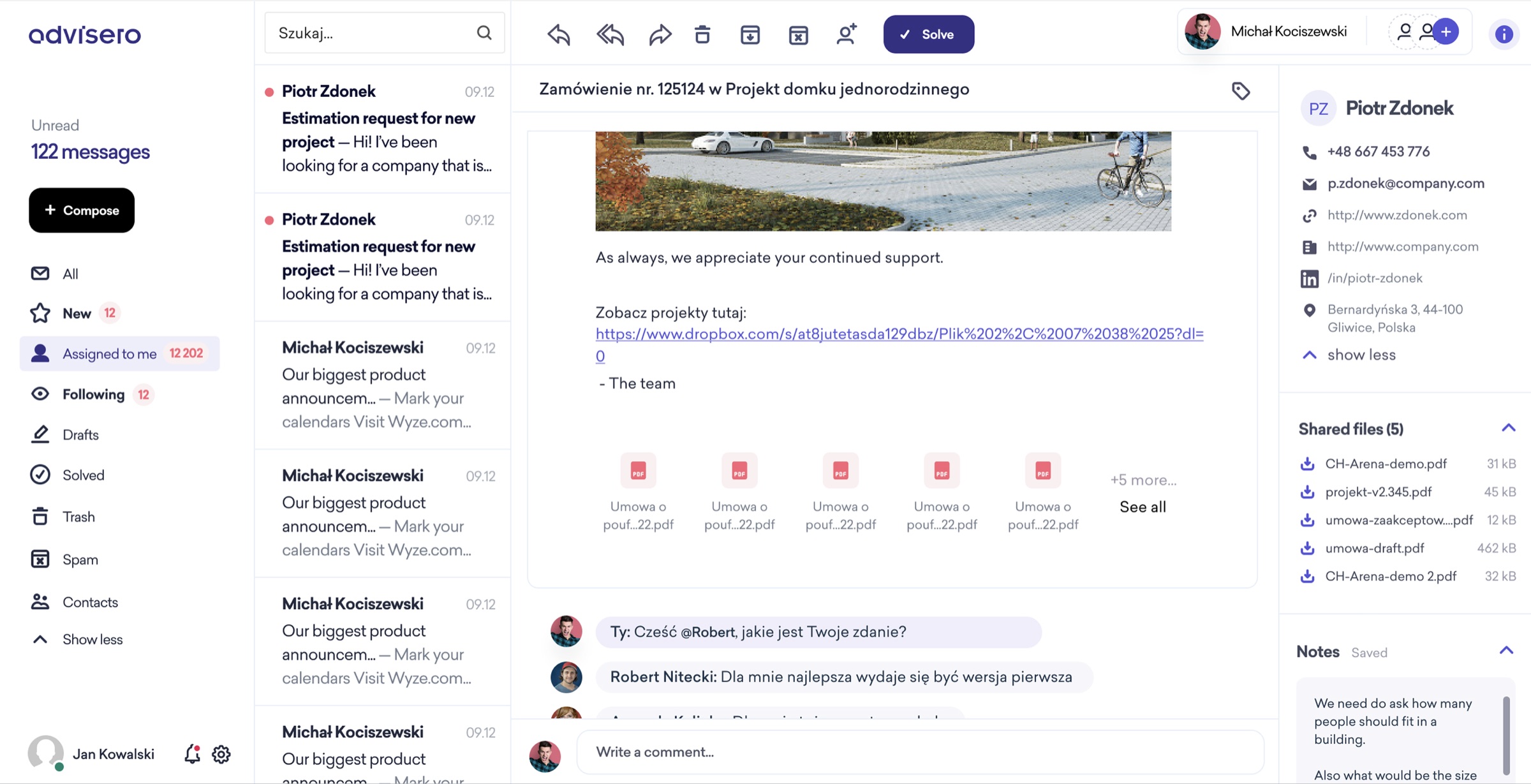
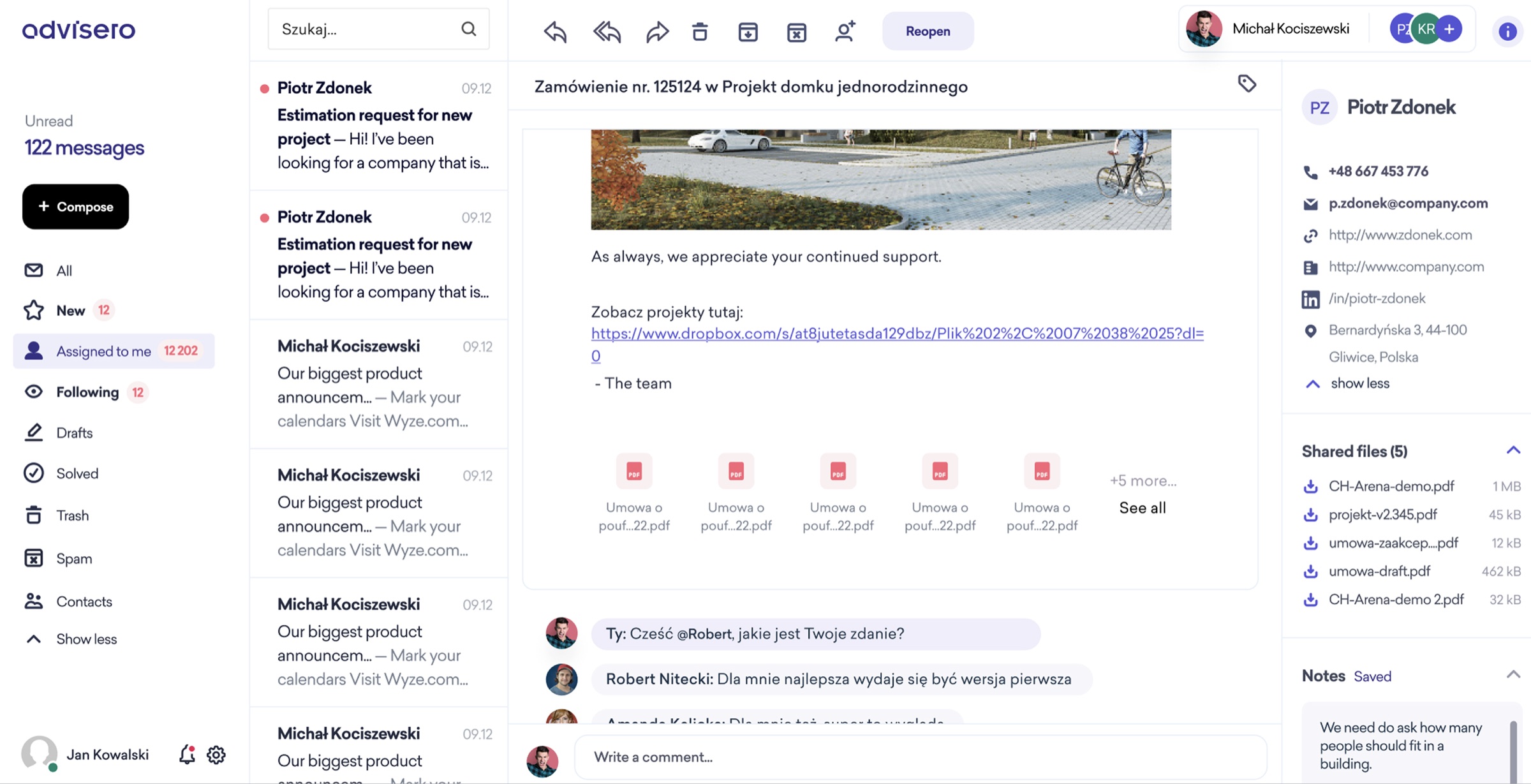
Internal discussion lives right alongside the email thread — not in a separate Slack channel, not in a shared doc, not in someone's head. When a new team member picks up a conversation, all the context is already there. This one decision probably eliminates more wasted time than any other feature.
Rich contact cards — phone, email, LinkedIn, website, address — surface directly from any thread. No switching to a CRM, no searching a separate database. When you're mid-conversation with a client, having their details one click away keeps you in flow.
The biggest risk for a product like Advisero isn't feature competition — it's adoption friction. Teams stick with broken email workflows not because they like them, but because every alternative requires learning something new. The core design insight — "make existing behavior work better" rather than replacing email — directly addressed the main reason people don't switch tools.
Competency-based routing and conversation assignment eliminated most of the manual email sorting overhead. For teams handling 100+ emails per day, that's a significant chunk of a manager's day returned to actual work.
The shared inbox with assignment and follower systems gives full visibility into who's handling what. The classic failure — two people replying to the same client, or nobody replying at all — is structurally prevented by the design, not just discouraged by process.
The three-column layout mirrors familiar email clients. Users don't need to learn a new paradigm. This is critical for the target segments — agencies, consulting firms, architecture studios — where people resist switching tools. Lower friction means higher adoption rates and lower churn.
In-thread commenting, shared files, and persistent notes mean that when someone is sick or leaves, the next person picks up a conversation without asking "what happened here?" Context travels with the thread, not with the person.
The core design decision — enhancing email rather than replacing it — directly addresses the main reason teams stick with broken workflows. They don't need to migrate to Slack, Teams, or a project management tool. They don't need to change how they communicate with clients. They just need their inbox to work like a team. That low switching cost is both the product's value proposition and its competitive moat.
"The best collaboration tools don't ask people to collaborate differently. They take the way people already work and remove the friction that makes it fail. Advisero doesn't change email — it fixes the one thing email was never designed to do: work as a team."